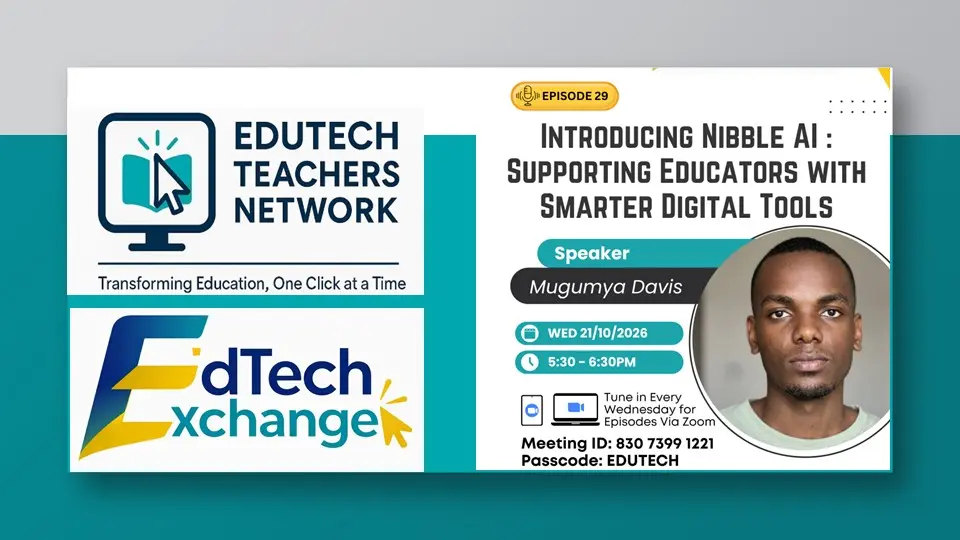
How can artificial intelligence help teachers save time, prepare better learning materials, and support learners with different needs? This was the focus of EdTech Exchange Episode 29, hosted by EduTech Teachers Network (ETN), which featured Mugumya Davis, founder of Nibble AI.
The session introduced educators to Nibble AI, an AI-powered platform designed to support teachers in preparing lesson plans, assessments, worksheets, and other classroom resources more efficiently.
Through a practical demonstration, participants explored how AI tools can support everyday teaching tasks while allowing educators to retain control over lesson preparation, curriculum alignment, and the learning process.
The discussion also examined the relevance of AI-generated resources to Uganda’s curriculum, including the National Curriculum Development Centre (NCDC) curriculum and competence-based learning approaches.
Introducing Nibble AI- An AI Assistant for Educators
During the session, Mugumya Davis explained the purpose of Nibble AI and demonstrated how the platform can help educators reduce the time spent on repetitive preparation tasks.
Teachers regularly prepare lesson plans, learning materials, assessment questions, worksheets, and communications with parents and school administrators. These responsibilities require time and careful planning, particularly when teachers need to develop resources for different subjects, topics, and learner levels.
Nibble AI seeks to simplify some of these tasks by providing tools that generate structured educational content based on teachers’ instructions and requirements.
The demonstration showed how educators can use the platform to develop initial drafts of teaching resources and then review, edit, and adapt them to their classroom contexts.
The central message was clear: AI should assist teachers, not replace them. Teachers remain responsible for checking the accuracy, suitability, and curriculum alignment of the materials they use.
Practical AI Tools Demonstrated During the Session
A major highlight of Episode 29 was the demonstration of several tools available within Nibble AI. Participants were introduced to practical applications that can support different stages of teaching and learning.
1. Lesson Plan Generator
The lesson plan generator helps teachers prepare lesson plans more efficiently by generating structured drafts from their instructions.
Rather than beginning every lesson plan from a blank page, teachers can use AI-generated drafts as a starting point, then refine them to reflect the intended learning outcomes, available resources, learner needs, and requirements of their syllabi.
This can help teachers reduce preparation time while maintaining professional control over lesson design.
2. Learning Materials Creator
The learning materials creator supports the preparation of classroom resources, including worksheets and other learning activities.
Teachers can use such tools to develop resources that introduce concepts, reinforce learning, and provide opportunities for learners to practice new skills.
The session highlighted the potential of AI to support resource preparation, particularly where teachers need to develop materials regularly for different topics and classes.
3. Assessment and Scenario-Based Questions
Assessment was another important area explored during the demonstration.
Nibble AI includes an assessment tool that can help teachers generate questions, including scenario-based questions that present learners with situations requiring them to apply their knowledge.
This is particularly relevant to competence-based learning, where learners are expected not only to recall information but also to demonstrate understanding, apply skills, and solve problems in practical contexts.
Teachers can use AI-generated questions as a starting point, checking that they are appropriate for the subject, learner level, and intended assessment objectives.
4. Differentiation for Different Learner Levels
Learners do not all progress at the same pace or require the same level of support. The session therefore explored Nibble AI’s differentiation tool, which helps teachers develop learning materials suited to different learner levels.
This can assist educators in preparing varied activities and explanations while working towards shared learning objectives.
For example, a teacher may adapt a learning activity to provide additional support for learners who need it while offering more challenging tasks to learners who are ready to progress further.
Such applications can help teachers plan for learner diversity and make classroom activities more responsive to individual learning needs.
5. Exit Ticket Generator
The exit ticket generator was another tool demonstrated during the session.
Exit tickets are short activities or questions used at the end of a lesson to help teachers establish what learners have understood, what remains unclear, and what may need further attention.
By supporting the preparation of these activities, AI can help teachers incorporate regular checks for understanding into their lessons and use the resulting evidence to plan subsequent instruction.
6. Professional Communication Tool
Nibble AI also includes a professional communication tool for preparing letters and emails.
Teachers and school leaders regularly communicate with parents, colleagues, administrators, and other stakeholders. The tool can help prepare initial drafts of professional messages, which users can then review and personalise before sending.
This demonstrates that AI can support administrative responsibilities alongside lesson preparation and assessment.
Nibble AI and Uganda’s Competence-Based Curriculum
An important part of the discussion focused on how Nibble AI can support teachers working with Uganda’s curriculum, including the new curriculum and competence-based learning approaches.
Participants raised questions about the platform’s compatibility with curriculum requirements and its application in primary education.
Mugumya Davis responded through further demonstrations, explaining how the platform can be used to develop educational content suited to different learning levels and classroom needs.
The discussion highlighted the potential for AI to support teachers in preparing activities, assessments, and learning materials that encourage learners to apply knowledge rather than simply memorise facts.
However, AI-generated content still requires careful review. Teachers need to confirm that lesson plans and assessment items reflect the correct syllabus, learning outcomes, age group, and classroom context.
This is particularly important when using scenario-based questions and differentiated activities, where the quality and relevance of the content directly affect the learning experience.
For educators implementing Uganda’s competence-based curriculum, tools such as Nibble AI may offer useful support in developing practical, learner-centered resources, provided they are used thoughtfully and in line with NCDC guidance.
Nibble AI and ChatGPT- Understanding the Difference
During the session, Mr. Rogers Mukalele, National Chairperson of EduTech Teachers Network, compared Nibble AI with ChatGPT.
The discussion highlighted how Nibble AI provides more structured, classroom-oriented content tailored to educational levels and curriculum needs, while ChatGPT can support a wider range of general tasks depending on the instructions provided.
This comparison helped illustrate an important consideration when selecting AI tools.
Educators should look beyond the popularity of a platform and consider how well it supports their specific teaching responsibilities.
A tool designed around educational workflows may make certain tasks easier to organise, while a general-purpose AI assistant may offer flexibility for broader planning, writing, and research activities.
The most suitable choice depends on the teacher’s objectives, available features, cost, and the quality of the outputs produced.
Responsible Use of AI in Teaching
Throughout the session, the importance of responsible AI use remained central.
Although AI can generate content quickly, speed does not automatically guarantee accuracy or suitability. Generated lesson plans, worksheets, questions, and communications must be checked before they are used.
Teachers should review AI outputs to ensure that they:
- Align with the relevant syllabus and intended learning outcomes.
- Use accurate information and appropriate language.
- Match learners’ ages, abilities, and learning needs.
- Promote meaningful learning rather than simply generating large amounts of content.
- Respect learner privacy and school policies on the use of digital tools.
AI should strengthen teachers’ professional practice, not remove the judgement and care required to support learners effectively.
By combining AI assistance with teachers’ subject knowledge, curriculum understanding, and classroom experience, educators can use these tools more purposefully.
Understanding Nibble AI’s Access Options
The session also introduced the platform’s access and pricing arrangements.
According to the demonstration, Nibble AI offers a free tier with limited credits, alongside paid plans that provide additional access and features, including unlimited-use options.
This gives educators an opportunity to explore the platform before deciding whether a paid plan suits their needs.
During the discussion, plans were also announced to make six free unlimited-version accounts available to selected community members through a registration process.
Interested educators were encouraged to follow ETN community communications for the registration form and further guidance on accessing these accounts.
The initiative is intended to give some educators an opportunity to explore the platform more extensively and provide feedback that may help inform its continued development.
Building an AI-Ready Community of Educators
Episode 29 built on earlier EdTech Exchange discussions about effective AI prompting and the practical integration of digital tools into teaching.
The session demonstrated that AI adoption in education is not simply about introducing new platforms. Educators also need opportunities to practise using the tools, understand their limitations, evaluate the results, and share experiences with fellow teachers.
Through its weekly EdTech Exchange sessions, ETN provides a community space where educators can learn about emerging technologies, ask questions, observe practical demonstrations, and explore ways to apply digital solutions in their institutions.
The discussion around Nibble AI also created an opportunity for educators to engage with a platform developed specifically around teaching-related tasks and contribute feedback from their professional experience.
Continuing the EdTech Exchange Journey
EdTech Exchange Episode 29 highlighted the growing range of ways AI can support lesson planning, assessment, differentiated learning, resource creation, and professional communication.
The demonstration of Nebo AI gave educators practical insight into how an AI-powered platform can assist with routine teaching responsibilities while leaving teachers in control of the educational decisions that matter most.
For teachers seeking to improve their preparation processes, the key lesson is to begin with a clear teaching need, explore suitable digital tools, and review the resulting materials carefully before using them with learners.
EduTech Teachers Network appreciates Mugumya Davis for introducing the platform and engaging participants in the discussion. ETN also acknowledges the educators who contributed questions and perspectives on the use of AI in different teaching contexts.
Educators are encouraged to visit the ETN website to learn more about the network, join its community, and participate in future professional learning opportunities.
Join us for the next EdTech Exchange session and continue exploring practical ways to transform teaching and learning through technology—one click at a time.
Watch the Full Session Recording
Watch the full recording of EdTech Exchange Episode 29 to see Mugumya Davis demonstrate Nibble AI’s tools and explain how educators can use the platform to support lesson preparation, assessment, differentiation, and other professional tasks
About EduTech Teachers Network
EduTech Teachers Network (ETN) is a professional community committed to promoting the effective, inclusive, and sustainable use of education technology in teaching, learning, research, and school administration. Through workshops, virtual sessions, and collaborative learning opportunities, ETN supports educators in developing the skills and confidence needed to integrate technology into educational practice.
Website: https://edutechteachers.org/
Email: info@edutechteachers.net
Telephone: +256 393 101 998
#EdTechExchange #NibbleAI #AIinEducation #DigitalPedagogy #CompetenceBasedLearning #1ClickAtaTime
Leave a Reply