Educators explored how to design engaging online learning experiences, build professional teaching blogs, and use WordPress to create digital learning platforms.
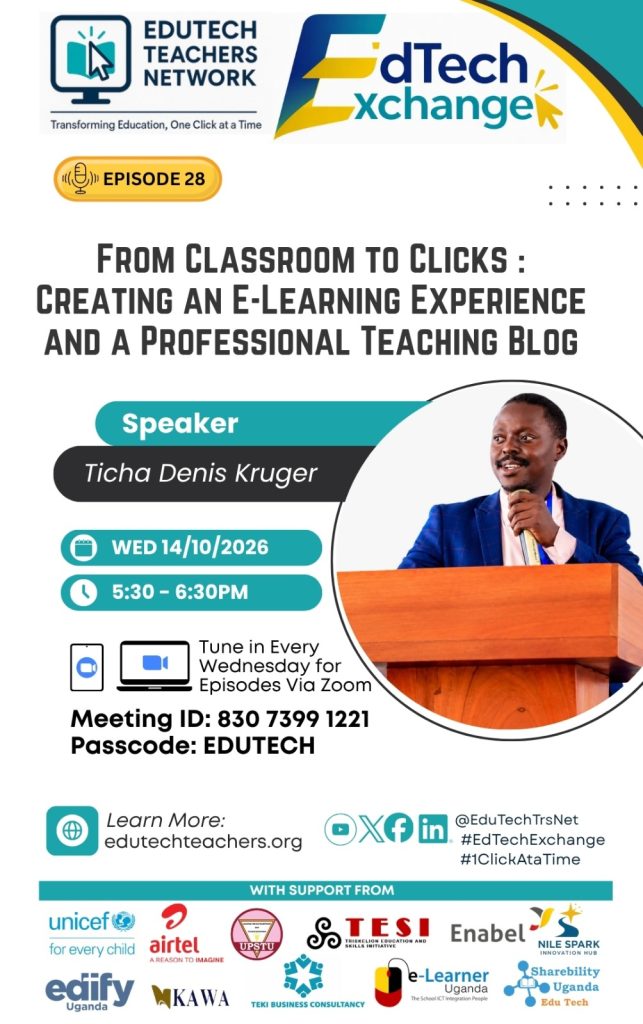
The EduTech Teachers Network (ETN) continued its weekly professional development series with EdTech Exchange Episode 28, featuring Teacher Dennis Kruger in a practical session on Creating an E-Learning Course Experience and Establishing a Professional Teaching Blog.
The session brought together educators interested in strengthening their digital teaching skills and exploring practical ways to create online learning experiences and establish a professional presence on the internet.
The discussion moved beyond simply uploading learning materials online. It examined how educators can design meaningful e-learning experiences, interact with learners digitally, assess learning progress, and use websites to share teaching resources and professional achievements.
Participants also followed practical demonstrations on creating and managing WordPress websites, publishing blog posts, customising website themes, and extending website functionality using educational plugins.
Understanding an Effective E-Learning Experience
One of the central themes of the session was that effective e-learning requires more than placing notes, presentations, or videos on a website. Learners need opportunities to engage with content, interact with others, and demonstrate what they have learned.
The session highlighted three key components of an effective e-learning experience:
- Content: Providing relevant, well-organised learning materials that support the intended learning outcomes.
- Interaction: Creating opportunities for learners to participate, ask questions, discuss ideas, and engage with learning activities.
- Evidence: Collecting evidence of learning through assignments, assessments, activities, and other ways of demonstrating understanding.
These components help educators think about the complete learner experience when designing online courses. Rather than concentrating only on the materials uploaded, teachers need to consider what learners will do with those materials and how their progress will be assessed.
The discussion encouraged educators to design online learning environments that promote active participation and meaningful learning.
The Four Roles of an Online Facilitator
The session also explored the responsibilities of an online facilitator. Effective online teaching requires educators to take deliberate steps to support learners throughout the learning process.
Four key roles were highlighted:
1. Design
Educators need to organise learning content, structure activities, and plan the learning journey. Good design helps learners understand what is expected of them and how to progress through a course.
2. Presence
An online facilitator needs to remain actively involved in the learning environment. This includes communicating with learners, guiding discussions, responding to questions, and maintaining engagement.
3. Feedback
Learners need feedback to understand their progress and identify areas for improvement. Educators should plan how they will respond to assignments, questions, and other learner activities.
4. Inclusivity
Online learning should accommodate learners with different needs and circumstances. Educators need to consider accessibility, the usability of learning materials, and the different ways learners access digital content.
Together, these roles emphasise that technology alone does not guarantee successful e-learning. The educator’s planning, interaction, feedback, and attention to inclusion remain essential.
Creating a Professional Teaching Blog with WordPress
A major highlight of Episode 28 was the practical demonstration of how educators can establish a professional teaching blog using WordPress.
A teaching blog provides a space for educators to publish articles, share learning resources, communicate ideas, and document their professional experiences. It can also support collaboration and help educators make their work accessible to a wider audience.
The session distinguished between a teaching blog and a professional portfolio. While a blog focuses on publishing posts and updates, a portfolio can present an educator’s qualifications, experience, achievements, projects, publications, and other evidence of professional growth. A single website can combine both functions.
Teacher Dennis Kruger demonstrated how WordPress can be used to develop these resources without requiring educators to build a website entirely from scratch.
Getting Started with a WordPress Website
The demonstration covered the main steps involved in establishing a website, including:
- Registering a domain name and obtaining web hosting.
- Installing WordPress and accessing the administration dashboard.
- Creating essential pages such as Home, About, Blog, and Contact.
- Configuring the website’s reading settings and homepage display.
- Installing and activating a suitable theme.
- Customising website content, navigation menus, headers, and footers.
Participants were shown how the different parts of a WordPress website work together to create a functional online presence.
The session also highlighted the importance of choosing themes that suit the intended purpose of a website, whether it is a personal teaching blog, a professional portfolio, or an educational platform.
Publishing Blog Posts and Managing Website Content
Beyond setting up the website, participants explored how to publish and manage content using WordPress.
The practical demonstration covered creating blog posts, adding featured images, assigning categories, and incorporating multimedia content. These features help educators organise their articles and make their websites more engaging and easier to navigate.
The session also addressed website editing, including updating text and images and modifying different page sections.
Participants were introduced to basic website performance considerations, particularly the importance of using appropriately sized images to help pages load more efficiently.
These skills can help educators maintain their websites independently, publish new learning resources, and keep their online portfolios up to date.
Extending E-Learning with WordPress Plugins
Another important part of the session was the introduction of WordPress plugins, which extend the functionality of a website.
Teacher Dennis demonstrated the installation and activation of Tutor LMS, an educational plugin that can be used to develop and manage online courses.
With suitable learning management functionality, educators can move beyond publishing static pages and blog posts towards creating more structured online learning experiences.
The session also demonstrated Google Classroom as an alternative platform for managing digital learning activities. Participants explored how teachers can create classes, share resources, post announcements, and organise learning activities for their students.
These demonstrations exposed educators to different ways of supporting online learning, whether through a dedicated WordPress-based course platform or an existing classroom management tool.
The choice of platform depends on the educator’s objectives, available resources, and the learning experience they want to provide.
Supporting Educators to Build Their Digital Presence
The session reinforced the value of helping educators become creators and managers of digital learning resources, rather than relying entirely on platforms and materials developed by others.
A professional teaching blog or portfolio can help educators:
- Share notes, articles, presentations, and other teaching resources.
- Showcase professional qualifications, experience, and achievements.
- Publish reflections on teaching practice and educational innovation.
- Build a professional identity and expand their networks.
- Develop and share structured online courses.
- Provide learners with an accessible online space for learning materials.
These opportunities can support professional growth while helping educators reach learners and colleagues beyond their immediate institutions.
The practical approach taken during the session gave participants an introduction to the processes and tools needed to begin developing their own websites.
Upcoming Opportunities: Free WordPress Training for Schools
Towards the close of the session, ETN National Chairperson Mr. Rogers Mukalele shared upcoming opportunities for schools to participate in free WordPress training through the Campus Connect programme.
The initiative provides an opportunity for schools interested in developing their digital capacity to seek practical training and support in website development.
Schools wishing to arrange a training visit can contact ETN through 0393 101 998 or email info@edutechteachers.net for further information and scheduling.
Participants who need assistance with domain registration, web hosting, or WordPress installation were also encouraged to seek support through Sharebility Web Services.
These opportunities aim to make website development more accessible to educators and institutions that want to establish or improve their online presence.
Introducing Opportunities Through SurePay
Mr. Rogers Mukalele also introduced SurePay, a school management system, and invited interested ETN members to explore opportunities to become system champions.
Through this opportunity, members can learn about the system and support other schools in adopting it, with the possibility of earning income through onboarding schools.
This announcement expanded the discussion beyond classroom technology to include opportunities for educators to participate in the wider education technology ecosystem.
Interested members were encouraged to contact ETN for further information about the programme and the process of becoming a champion.
Continuing the ETN Learning Journey
EdTech Exchange Episode 28 highlighted the importance of combining sound e-learning principles with practical digital skills.
From understanding content, interaction, and evidence to creating WordPress websites and exploring learning management tools, the session encouraged educators to take practical steps towards improving their digital teaching practice.
The demonstrations also showed that a professional teaching blog can be developed progressively. Educators can begin with essential pages and basic posts, then expand their websites as their skills and needs grow.
ETN continues to provide a platform where educators can learn from practitioners, explore digital tools, share experiences, and discover opportunities for professional development.
Educators are encouraged to visit edutechteachers.net to learn more about the network, register as members, join the community, and access upcoming learning opportunities.
Join us for EdTech Exchange Episode 29, scheduled for the following Wednesday from 5:30 PM to 6:30 PM EAT, and invite another educator to be part of the conversation.
Together, we continue transforming education through technology—one click at a time.
Watch the Full Session Recording
Watch the full recording of EdTech Exchange Episode 28 to revisit the discussions and practical demonstrations on e-learning course design, professional teaching blogs, WordPress, and digital learning tools.
About EduTech Teachers Network
EduTech Teachers Network (ETN) is a professional community committed to promoting the effective, inclusive, and sustainable use of education technology in teaching, learning, research, and school administration. Through workshops, virtual sessions, and collaborative learning opportunities, ETN supports educators in developing the skills and confidence to integrate technology into educational practice.
Website: https://edutechteachers.org/
Email: info@edutechteachers.net
Telephone: +256 393 101 998
#EdTechExchange #DigitalPedagogy #WordPressForTeachers #ELearning #EducationTechnology #1ClickAtaTime
Leave a Reply