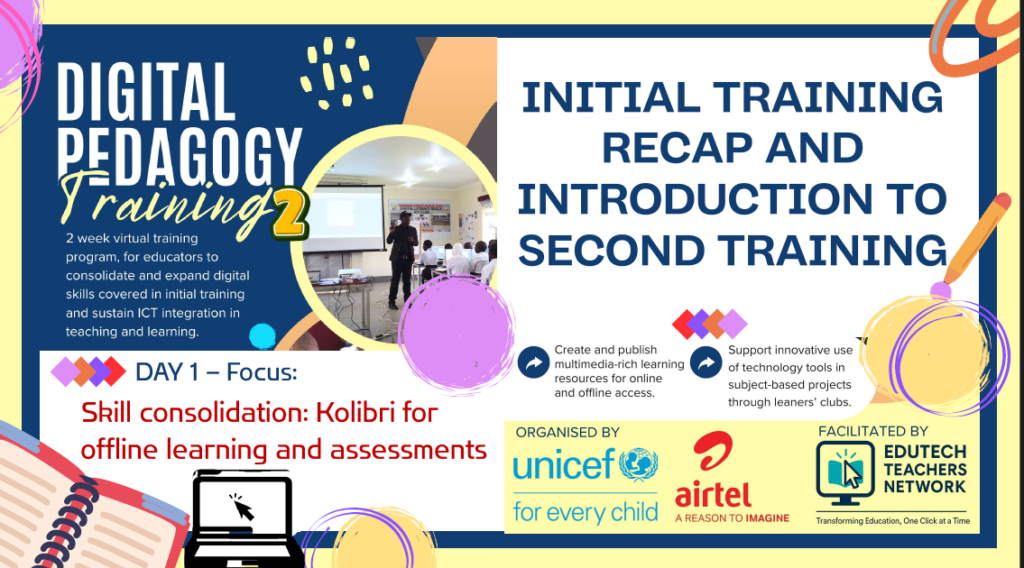

In Uganda, where educational innovation meets real-world challenges like intermittent connectivity and demanding schedules, the UNICEF-Airtel Digital Pedagogy Training Phase 2 commenced on February 2, 2026. This virtual program, facilitated by the EDUTECH TEACHERS NETWORK, is tailored for educators in Airtel connected schools across Uganda. If you missed the opening session, this detailed recap drawn from the official slides and recording ensures you’re fully equipped to engage with subsequent modules. The emphasis was on recapping Phase 1 achievements and introducing Kolibri, an offline learning powerhouse suited to our diverse Ugandan educational landscape.
Watch the full session recording for in-depth demonstrations and educator insights:
Session Objectives: A Strategic Foundation
The session targeted key outcomes to foster actionable digital integration:
- Review Phase 1 tools and their practical applications in classrooms.
- Provide an overview of Phase 2 for advanced skill development.
- Deepen expertise in Kolibri for offline content creation, management, and assessments.
- Discuss blended learning strategies tailored to specific subjects.
- Introduce a hands-on assignment to develop a Kolibri quiz.
Facilitated by experts , the session leveraged school holidays for focused professional growth, minimizing disruptions from daily teaching duties.
Phase 1 Recap: Building Blocks from June 2025
Phase 1, titled “Empowering Teachers with Practical Online Teaching Tools,” featured flexible timings and hands-on training. While engagement was high, it overlapped with school terms, prompting Phase 2’s holiday timing.
| Day | Theme | Key Tools | Highlights |
|---|---|---|---|
| 1 | Virtual Teaching Fundamentals | Zoom, Google Meet, OBS Studio | Conducting live sessions and creating reusable recordings. |
| 2 | Learning Management Systems | Google Classroom, Kolibri, WordPress LMS | Managing assignments with offline capabilities. |
| 3 | Engaging Content Creation | Mobile/PC recording, CapCut, YouTube, Canva | Developing visually and audibly compelling materials. |
| 4 | Assessment Tools | Google Forms, Kahoot, Mentimeter | Implementing instant grading and interactive polls. |
| 5 | Integrated Showcase | All tools combined | Fostering community through peer presentations. |
All Phase 1 materials remain accessible on Google Classroom and the EDUTECH Teachers Network YouTube channel.
Educator Insights: Real-World Applications and Feedback
The open sharing segment brought authenticity, with participants unmuting to discuss experiences. Brother Francis Edang highlighted using CapCut for lessons despite network challenges, while Mr. Abbat showcased his school’s YouTube channel, Google Classrooms for senior classes, and an ICT club supported by UNICEF-Airtel connectivity. AI tools like ChatGPT were praised for planning efficiency. Common suggestions included more beginner-level support and gamification to enhance student motivation.
Phase 2 Roadmap: Consolidation and Expansion
Phase 2 focuses on deepening skills (e.g., Kolibri mastery) and introducing new elements (AI planning, STEAM projects), with goals centered on multimedia resources, club integration, and sustainable networks like the EdTech Exchange series.
| Session | Date | Theme | Key Elements |
|---|---|---|---|
| 1 | Feb 2 | Recap & Introduction | Phase 1 review + Kolibri for offline learning and assessments. |
| 2 | Feb 3 | Educator Sites | Building blogs with Google Sites, Blogger, WordPress.com. |
| Extra 1 | Feb 4 | EdTech Exchange | School EdTech strategic planning. |
| 3 | Feb 5 | AI-Aided Planning | Google Docs for ICT-integrated lessons and schemes. |
| 4 | Feb 6 | Club Projects | STEAM tools for apps, robotics, websites, multimedia. |
| Extra 2 | Feb 11 | EdTech Exchange | Device acquisition and maintenance. |
| 5 | Feb 13 | Showcase | Presenting integrated content. |
Francis from Learning Equality underscored the importance of innovation in influencing inclusive EdTech policies.
Kolibri in Focus: Enabling Offline Excellence
Kolibri, a free open-source platform from learningequality.org/kolibri, is designed for low-connectivity environments. The Studio component allows content curation, while features include offline sharing via USB or local networks, custom channels, quizzes with instant feedback, and coach dashboards for progress tracking.
Comparison with Google Classroom:
| Aspect | Kolibri (Offline-First) | Google Classroom (Online) |
|---|---|---|
| Access | Local server, USB, app | Internet required |
| Content | Offline libraries + custom uploads | Cloud-based storage |
| Assessments | Built-in quizzes with sync | Integrated Google Forms |
| Monitoring | Coach reports and exports | Gradebook and stream |
| Cost | Free and open-source | Free but data-dependent |
In Ugandan schools, Kolibri supports server setups for self-paced learning and hybrid models. Rogers Mukalele’s live demo covered creating a grammar channel, AI-assisted quizzes, token imports, and report generation. The Android app enhances mobility, with samples available at kolibri.sharebility.org.
Hands-On Demo and Assignment: Practical Application
Rogers demonstrated quiz creation, referencing embedded tutorials. The assignment requires building a 5-question quiz channel in your subject (with AI assistance), installing Kolibri, importing and testing in a sample class, capturing a progress screenshot, and reflecting on offline benefits. Submit to Google Classroom by February 3, sharing your token—this builds toward the Session 5 showcase.
Conclusion: A Call to Action
The session closed with an inspiring reminder of self-motivation in EdTech adoption. Kolibri addresses Uganda’s connectivity gaps, making quality education equitable. Engage via the provided links, review recordings, and connect in community groups. Next up: Creating educator sites on February 3.
Transforming education, one click at a time. 🚀
For more, visit edutechteachers.org or contact info@edutechteachers.org.
Leave a Reply